
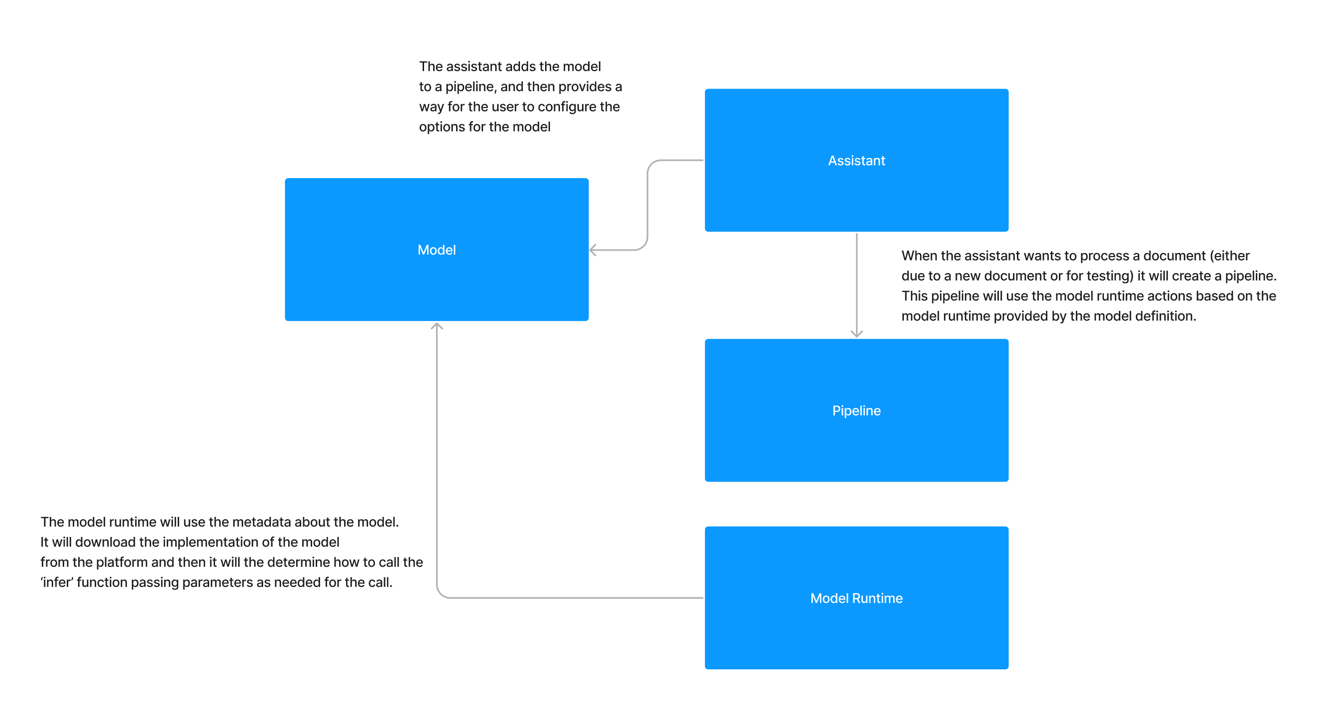
How do Modules interact with the Module Runtime?
When you deploy a module into Kodexa you include the module runtime that you want to use. Today, all Kodexa module runtimes have the same interface, but this may change in the future. How the module runtime calls your module is based on how you have declared your module in the module.yml file.Inference
The most common starting point with working with a module is learning how inference works. Let’s take a simple example of a module.yml:moduleRuntimeRef, which is set to kodexa/base-module-runtime. The platform resolves that runtime, provisions the correct execution environment, and uses it to run the module during assistant executions.
module/, and the runtime calls infer from that package. If your archive contains multiple Python packages, the runtime can be told which package to import by setting metadata.moduleRuntimeParameters.module.
The module runtime will pass the document that we are processing to the module and then the module will return a document. The module runtime will then pass the document back to the platform for further processing.
Inference with Options
In the previous example, we saw how the module runtime would pass the document to the module. In this example, we will see how the module runtime will pass options to the module. First, let’s add some inference options to our module.yml file:Targeting a Specific Package
If your module ZIP contains more than one Python package, setmetadata.moduleRuntimeParameters.module so the bridge imports the correct package:
infer by default. For event-aware modules it falls back to handle_event when that function is present.
Magic Parameter Injection
When a module function is called by the Kodexa bridge, parameters are automatically injected based on the function signature. You only need to declare the parameters you want — the bridge inspects your function signature and passes matching values automatically.Available Parameters
pipeline_context is the main entry point for execution metadata. It exposes:
pipeline_context.document_familypipeline_context.content_objectpipeline_context.document_storepipeline_context.contextfor the raw event/context payload
Usage
Declare only the parameters your function needs:Inference Options
In addition to the magic parameters above, any inference options declared in yourmodule.yml are also injected by name. If you have an inference option called my_option then you will get a parameter called my_option passed to your inference function.
StatusReporter
Thestatus_reporter parameter provides fire-and-forget status updates that appear in the UI during execution. All calls are safe — errors are logged but never propagated.
Updates are rate-limited to one per second.
Available Runtimes
Kodexa provides several built-in module runtimes for different processing needs:Pipeline Context Status Handler
For step-level progress tracking (progress bars in the UI), use thepipeline_context.status_handler callback: