
Anatomy of a Module
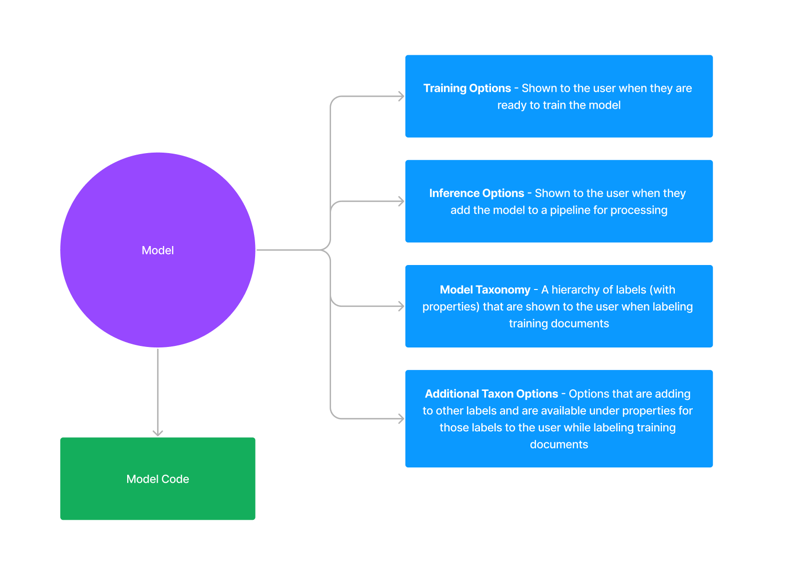 A module is made up of a few key concepts:
- Module Code — The code that is used to parse, transform and label documents
- Inference Options — The options that are used to run the module
- Module Taxonomy — The taxonomy that is used to define the structure of labels that the module uses to “guide” the extraction process
- Additional Taxonomy Options — Additional options that the module can add to Taxonomies that we will be using for extraction
Module Types
Every module has amoduleType field that determines how the platform uses it. There are two module types:
Model Modules (moduleType: model)
Model modules are the traditional Kodexa modules — Python executable code that processes documents. They are used with scheduled jobs, pipelines, and assistants. A model module contains:
- Python code with a
handle_event()entry point - A reference to a module runtime that provides the execution environment
- Optional inference options, taxonomy definitions, and sidecars
moduleType are treated as models.
Skill Modules (moduleType: skill)
Skill modules are file packs (prompts, configurations, knowledge files) that agents can discover and use. Unlike model modules, skills are not executed directly — they are downloaded into the agent’s container and made available as readable directories.
Skills are ideal for packaging:
- Prompt templates and system instructions
- Configuration files (e.g., tool definitions, workflows)
- Knowledge files and reference data